The Populi interface is getting its biggest upgrade... ever
We'll soon be releasing an update to the Populi interface.
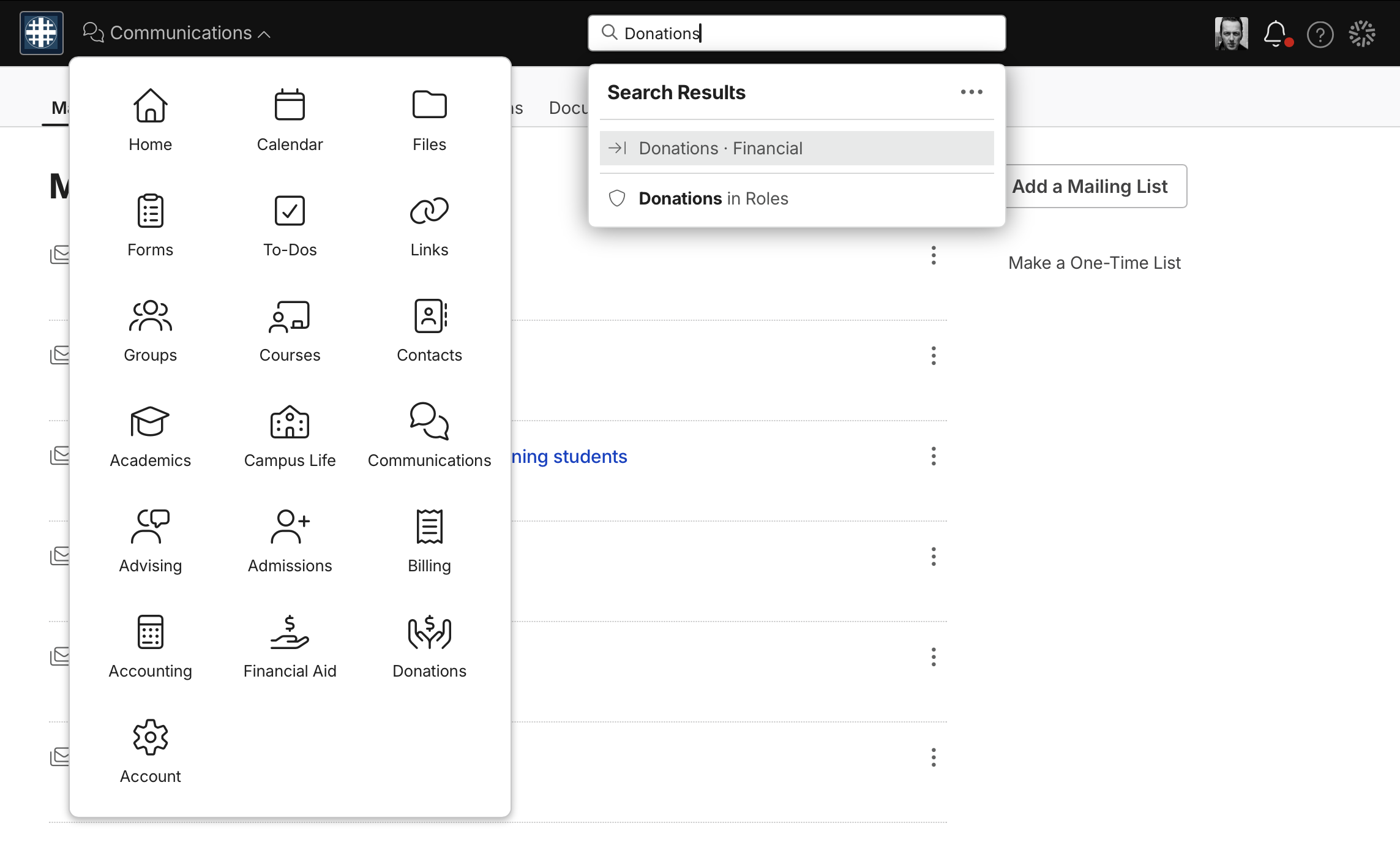
We're replacing the tab-based navigation with a new App Dropdown navigation. It lets you go directly from one spot to another by clicking the App Dropdown and picking where you want to go next. Some apps will have secondary navigation tabs or sidebar views if circumstances warrant. The sidebars will be collapsible so that more of the screen can be devoted to what you're working on.
We're also expanding search capabilities to help you get around Populi. In addition to searching for people, courses, etc., you'll also be able to search for specific locations—say you're working on something in Donations and you want to have a look at your Mailing Lists in Communications. Just search for "Mailing Lists", click the top result, and you're there! You can get pretty specific in Search and get everywhere you need to go without navigating the old hierarchy of links.
We're also doing a lot to clean up the overall look: a new font, updated icons, subtle changes to how things are spaced on the screen—Populi will be easier on the eyes.
AFAQs
No one has asked these questions yet—but we think you might—so here are some Anticipated Frequently-Asked-Questions:
Why update the interface like this?
A few reasons. One: We wanted to be able to devote more of the Populi screen to what you're actually looking at, to what you're actually doing. The update frees up 10-15% of the screen that was previously occupied by static navigation. Two: Less clicking. The update makes it so much easier to get from one place to another. The App Dropdown can get you right from Financial to Academics, or from Admissions to Forms (etc., etc.) with half the clicks it did before. And the new search can get you anywhere else speedily—getting you from, say, the General Ledger to the Enrollments report with minimal effort. Three: It's cleaner, more accessible, and will help us add more features down the line that would've made the old navigation style more and more unwieldy.
Can I have the old navigation back?
No. Once the new navigation is released, the old one is gone! We fully understand that it'll take some adjustment, but we really think this will benefit you and your school pretty quickly.
When exactly is this happening?
Pretty soon! We're looking to get this released in the next few weeks. We'll post a notice in Populi when things firm up.
0 Comments