
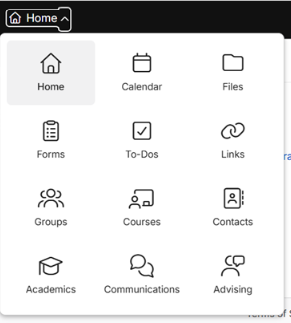
With the new interface, when we click on home there is a dropdown menu of 17 items. In certain departments, we only use 2-3 of these. I would love to see a feature where we might be able to add a shortcut next to the home button that takes us quickly to our desired tabs, rather than sorting through the large dropdown list each time
Date
Votes
8 comments
-

Tommy Wagner Please. It may seem like it's barely any effort to click the dropdown menu and choose, but that adds up the frustration when I didn't have to do that before and I'm typically only choosing a couple of these options any time I use the site.
-

Adam Sentz If you hit the Search shortcut and then type the first few letters of your desired destination you should be able to get there in just a few keystrokes without having to swap to the mouse. Another option might be to use your browser's pinned tabs feature to e.g. keep Academics in a browser tab all the time.
-

Moses Rivas I think it would be helpful to have options already available as one opens up the program, rather than using the drop-down menu to find what is needed. Currently there's a blank home screen. Not an end of the world kind of thing and yes, just a click away. But perhaps an easy fix.
-

Eli Shulman Regarding using the search bar, I'd rather not "search" every time I want to click on a tile. Currently I need to read through many of the tile options until I find the one I'm looking for. I wear a few hats and have logins representing a few different departments. Each login has a different number of tiles available, and therefore different placement of the tiles. For example the Billing tile is along the left column in my main login but when I log in to represent the Billing department the Billing tile is along the right column. After a few weeks of using it all day I figured I would have learned where the different tiles are located, but because they are in different places I still need to read through the list each time.
-
Eli Shulman I would love to be able to turn off some of the tiles since I don't use most of them.
-
Adam Sentz Eli Shulman - We added a vertical app nav theme that you might prefer. It's in My Settings > General.
-
Eli Shulman Oh wow this option is much easier for my brain to process. Thanks!
-

Joel Arnold An option that I'm loving. I use a stream deck and whenever I find myself repeatedly going to the same place in Populi I create a button for it. It's tactile, visual and lives right next to my keyboard. It's a huge help that Populi has stable links for most of these locations.
I create all of these icons in Chat GPT which makes them really fun and incredibly effortless.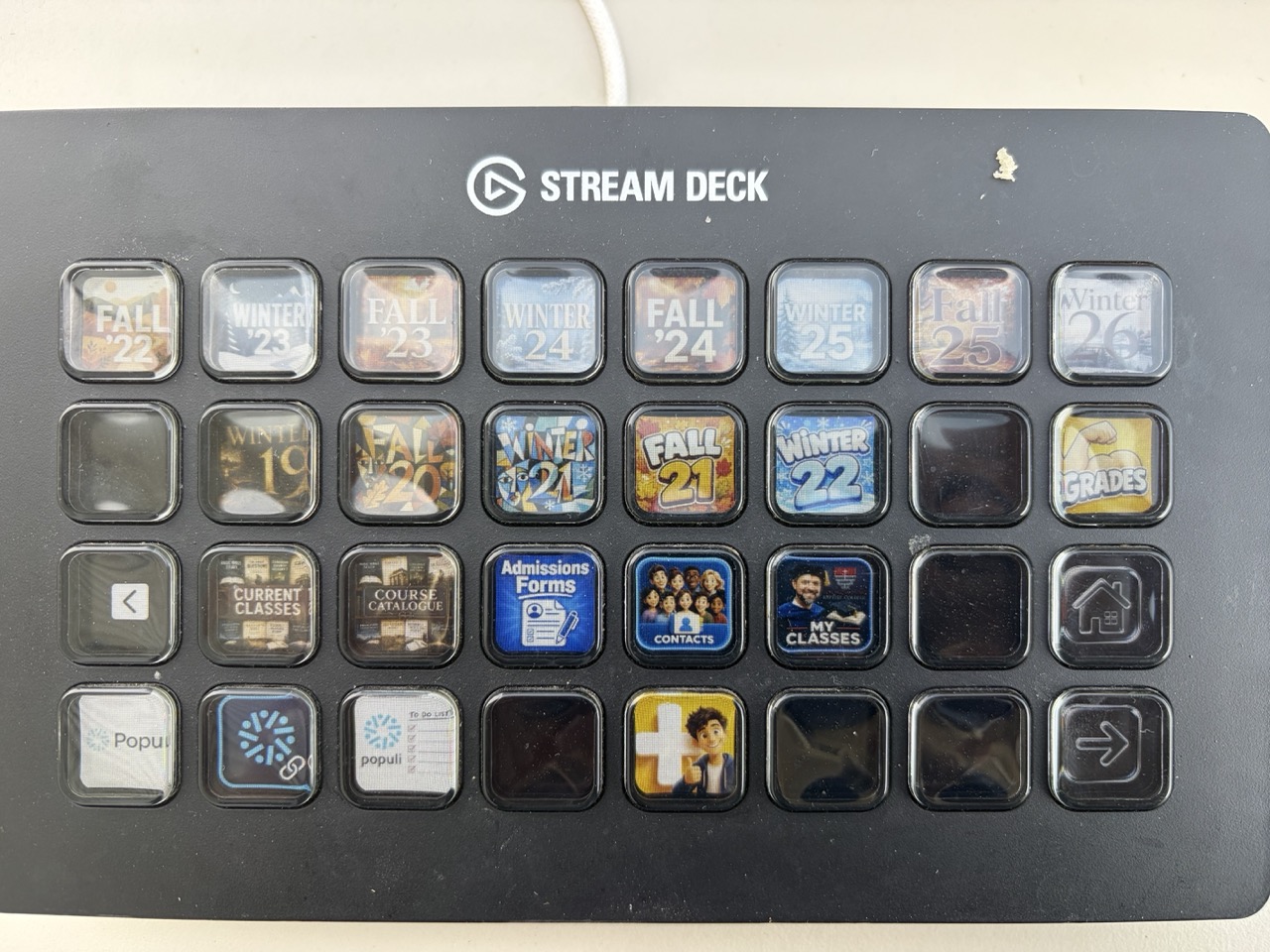
Please sign in to leave a comment.